



MuraCMS is the one of the matured & best content management system available for ColdFusion. MuraCMS provide options to CFML developers to build theme or plugin to extend the capabilities to fulfil your website needs. A plugin is a piece of software containing a group of functions that can be added to a MuraCMS website. That can extend the existing functionality or add new features to your MuraCMS websites. As a site admin, you can able to install/uninstall plugins from the admin area. You can make your own plugins and use them privately in your code or you can release them into public.
We have created and released a Event calendar plugin for MuraCMS, Please check out the explanation and demo video about this plugin in this blog post.
Admin Features
- Rapidly create events
- Saved venues & organizers
- Event Taxonomies (Categories & Tags)
- Configurable settings
- Simple, sleek & nice UI
Front-End Features
- Calendar view with tooltips (Month, Week & Day)
- List view
- Google Maps integration
- ICS file download option to integrate with outlook & other mail clients
- Event Taxonomies (Categories with color codes & Tags)
- Event search
- Completely ajaxified for super smooth browsing
About MuraCMS Event Manager Plugin:
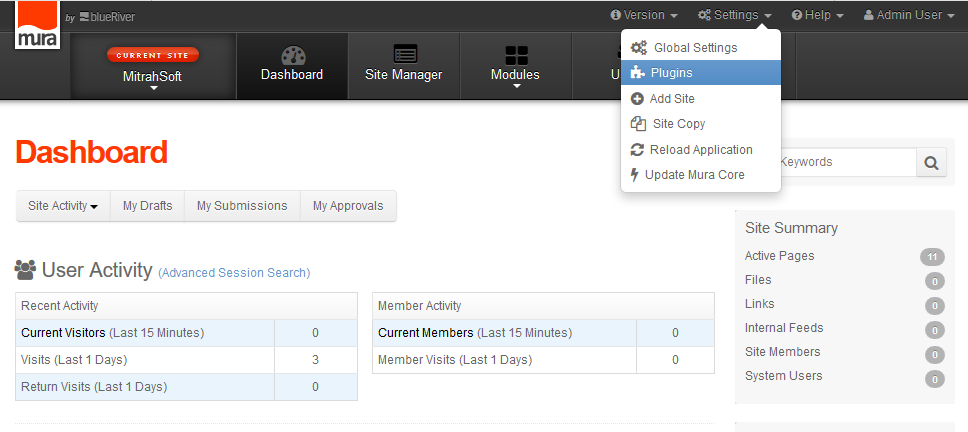
To install this plugin, first please go to Mura CMS Admin Panel. After login to admin panel, go to Settings -> Plugin section. Click the Plugins option in the menu. The plugins list page will display under the Plugins tab in the Global Settings page.
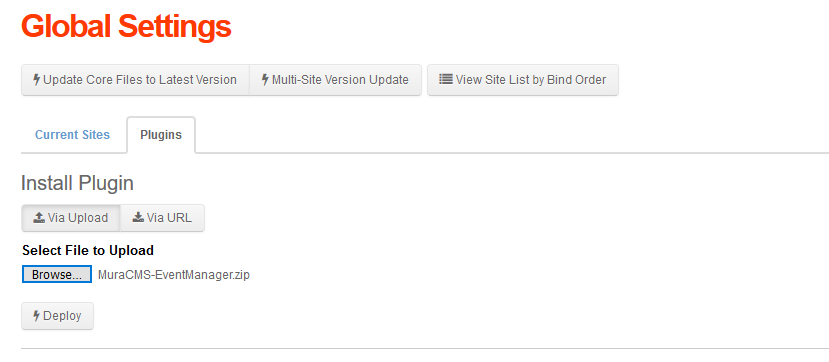
To upload new plugin click the file upload button and select the MuraCMS Event Manager Plugin zip file, then click the button to deploy it.
Now the "Terms & Conditions" page will display under the Plugin Settings page. We should accept the terms & conditions for the plugin. As Mura CMS support multile sites, we could configure a plugin for only few web sites too. Select the neccesary site names under the Site Assignment and update it. Once we've done that ,then just reload the application in Settings -> Reload Application. Now the MitrahSoft Mura CMS event manager plugin installed successfully.
We can see the uploaded the event manager plugin under the Modules -> Plugins -> eManager. Now the plugins home page and all the options will display.Now we can process to create events.
The Event Manager Plugin have the following menu items,
- Home
- Organizers
- Locations
- Tags
- Settings
- Categories
- Events
Event Organizers
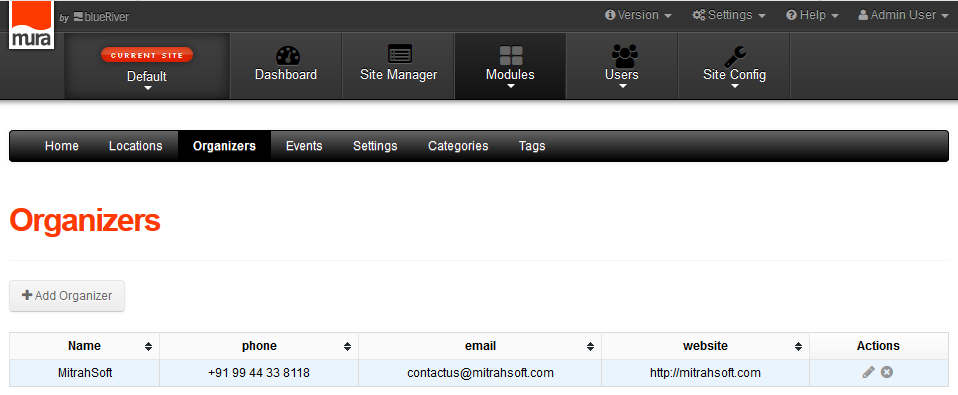
MitrahSoft's MuraCMS event manager plugin supports to keep multiple organizers. MuraCMS content editor could assign already created organizer to an event easily. As of now, only one organizer can be assinged to an event. but one organizer can have multiple events. The Organizers menu item have a form which consists of organizer Name, Phone, Email & WebSite fields to store the organizer's contact details. Click the 'Save Changes' button to Save the organizers details. After adding the organizer the details will be displayed in the organizer list.
Event Locations
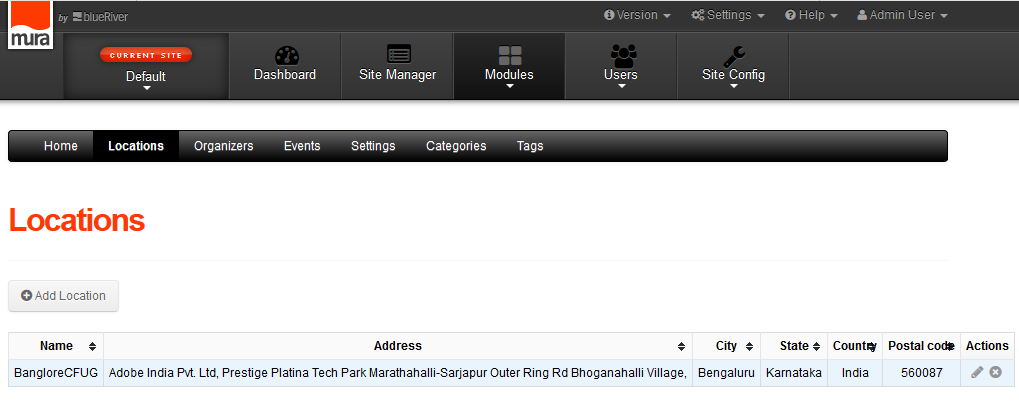
MitrahSoft's MuraCMS event manager plugin supports both online & offline events. For offline events, Google map directions to event address is one of the important feature. Our plugin's locations tab having a form to create event locations to fullfill this feature.The form having fields like the Location Name, Address, City, State, Country, and Postal code. We've added the google map on beside the form. Based on the given Address the google map will be shown the location for the corresponding address.
Categories
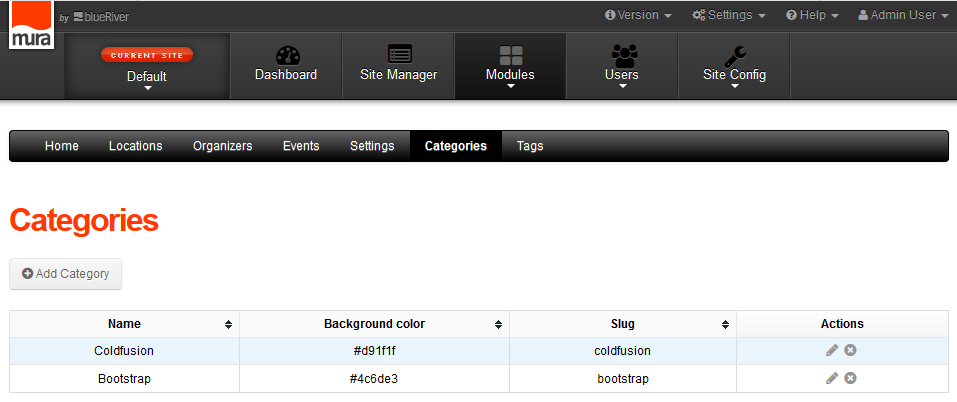
Usually each event will have a single category. Based upon the category of an event, will set background color of that event in calender UI. This back-ground color feature will be very useful to differentiate distinctive categoried events. In our plugin, we can create multiple categories and assign one to an event easily. In category add form, we used jQuery color picker plugin to easily choose your event color code instead of struggling to find a color hexcodes.
Events
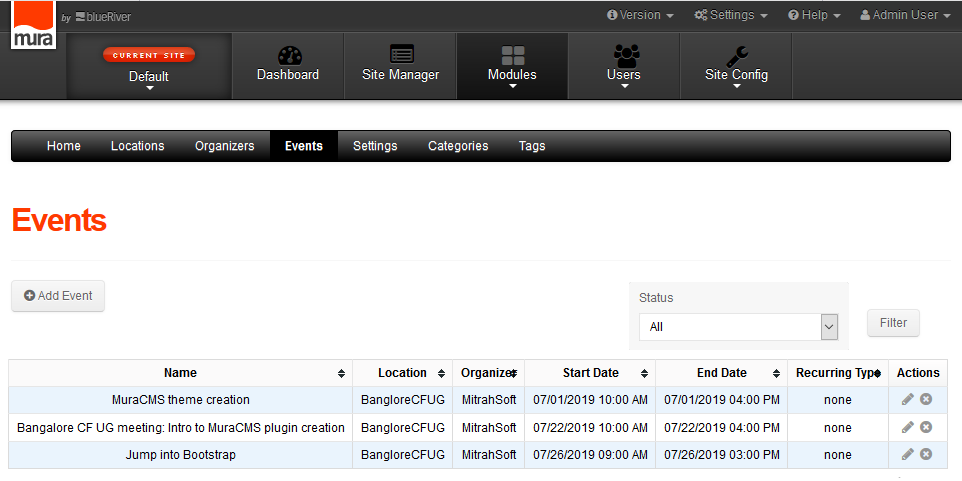
To create events, we can use the form under Events tab in our MuraCMS Events Manager Plugin. click the Add Events button to get the event form fields. There are three tabs ( Details, location and Organizer ) available in events add/edit page. we have to enter neccessary event information in Details tab. Fill all the needed fields and click the "Save Changes" button to create the events.
Required fields in events add/edit page are name, description, excerpt, tags, category, start date, end date, website, all day event, and recurring event checkboxes.
Create/Add Events
We should select the Location details and Organizer details while creating an event. We can have the option to use the existing location, organizer. Otherwise, we can able to create a new location or new categories also under the corresponding tabs. Both location & organizer are required to create an event. After creating a event that will list out under the events list page. We can edit or remove an event from the list page by clicking the corresponding icons under the actions column.
Add Plugin To The Pag
Once required events are created successfully, pleas go to Site Manager and create a page called as "cal plugin" for adding our events in a web site's page. click the page name to go to the Edit page. In the Layouts & Objects section, we have the option to add the plugin. Select the Plugins from the Select Object Type drop down under the Content Objects. Select the eManager option from the Select Plugins dropdown and select the Main Page then proceed that as Main Content.Once we've published the page, the page will display the list in Site Manager. We can see the page by clicking the 'view' icon.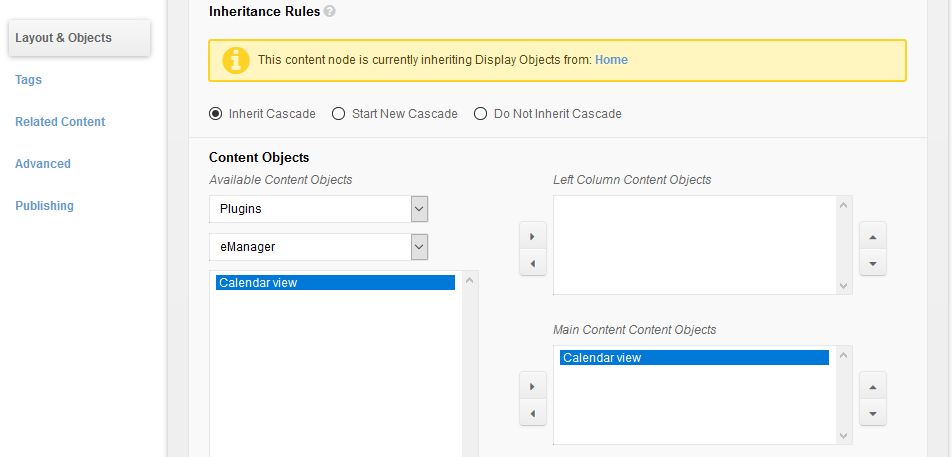
We can view the page with the calendar and events which are created in the admin section. The calendar page has a very sleek interface. In the calendar, We select the particular date by the date picker to navigate to different dates and We have the option to view the calendar as month view, Week view and Day view too. While click on the event in the calendar, a nice pop-up will show and display quick event details like the event name, event date, location and organizer details.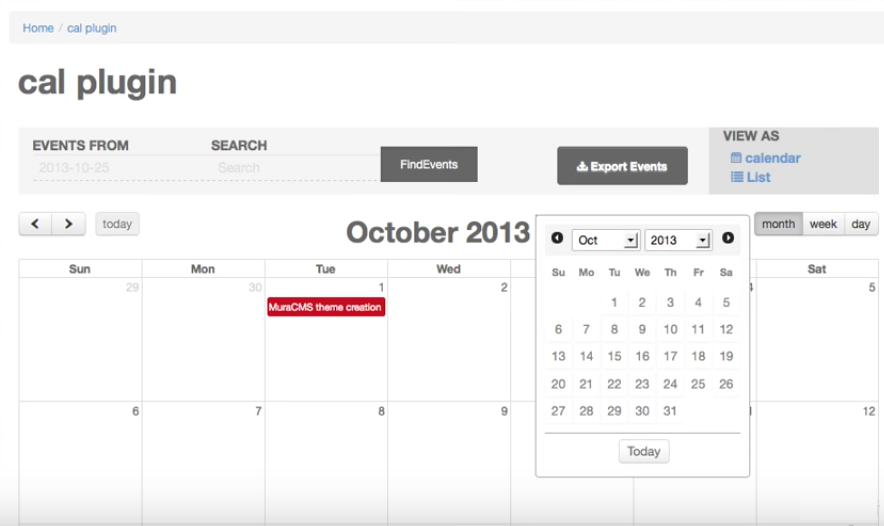
In the event details pop-up display, We have the option to view the event page and option to download the event. click on 'More Detail' link will navigate you to view the particular event details and click the calendar icon in the tooltip to download the event as a .ics file. We can save the file and add it into the OutLook to get reminders. Click the details page will navigate you to view Event details page with Google map of it's location. The map will display the location based on the given address.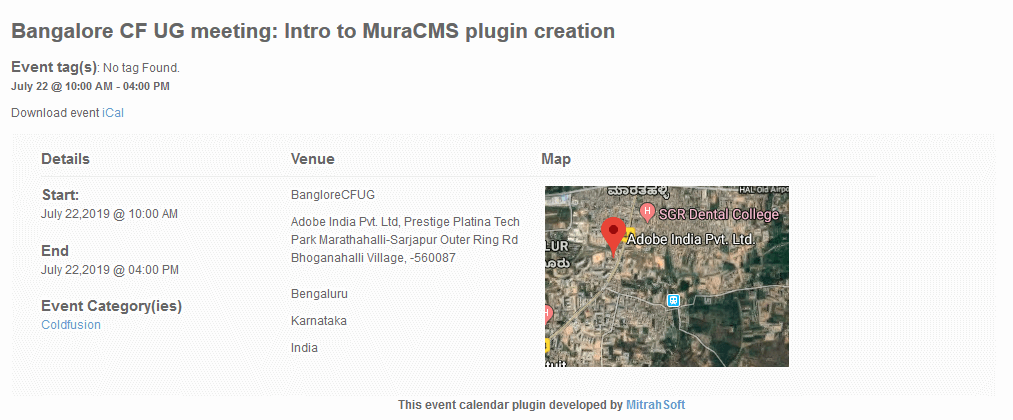
The Demo Video
The above things are the demo details of the Event Manager Plugin which we've created. Please let us know your feedback on the same.
To receive an estimate for your web application please:
Call: +91 9092480924
Email: contactus@mitrahsoft.com